Blog · Part of the Safety and Privacy guide
How to Prevent Doxxing as an OnlyFans Creator
Practical steps to protect your identity and prevent doxxing as an OnlyFans creator, including UK legal protections and removal strategies.
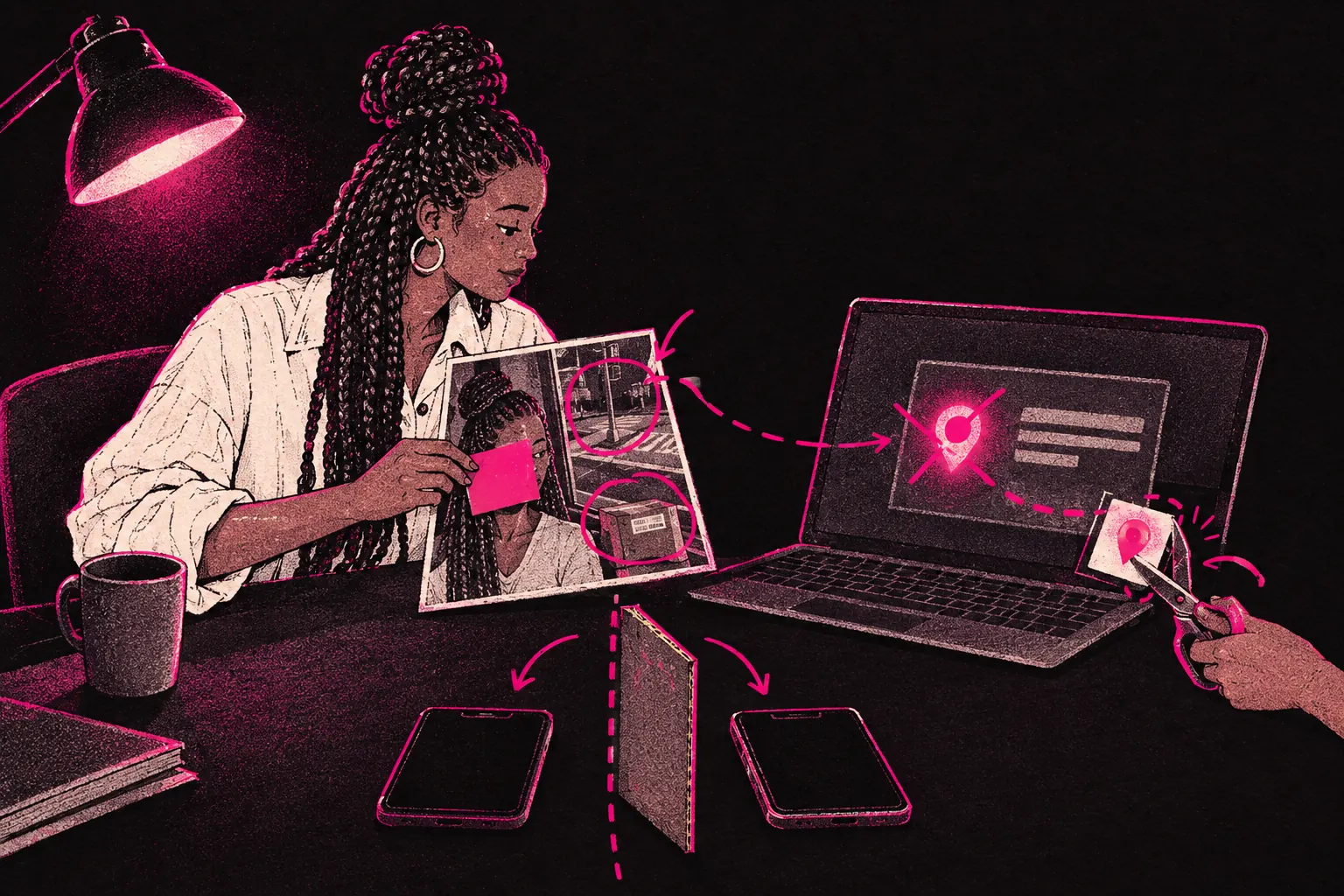
You can cut your risk of doxxing a long way by keeping your creator identity completely separate from your real one, stripping location data from your files and checking every shot for clues before you post. If it does happen, UK law gives you ways to get your details taken down and to report the person responsible.
Doxxing is one of the most serious privacy threats you face as an OnlyFans creator. If your real name, address or workplace gets posted online, it can lead to harassment and stalking, and it can follow you into your offline life.
What is doxxing and why are creators at risk?
Doxxing (sometimes spelled “doxing”) means digging up someone’s private information and posting it publicly without their consent. That might be your real name, home address, workplace, phone number, or photos of your face linked to your real identity.
Being an OnlyFans creator adds some extra risks. Adult content still carries a stigma, which makes you a target for people who want to cause harm. You also talk to a lot of strangers, and some of them may become obsessive or vindictive. And because you put out a lot of photos and videos, there are more chances for an identifying detail to slip through.
The motives vary. It might be an angry subscriber, an ex-partner, or someone who targets adult creators on principle. Whoever it is, the damage can be devastating.
Common ways creators get doxxed
Knowing how people get found is the first step to protecting yourself.
Photo and video metadata
Photos taken on a smartphone carry hidden data (EXIF data) inside the file. It can include GPS coordinates, the date and time, your device model and sometimes other details. Some platforms strip it on upload, but don’t count on that. If you upload files with that data still in them, anyone who downloads them may be able to pull out your location.
Social media cross-referencing
A determined person can compare your creator profile with other social media accounts, looking for matching usernames, similar writing styles, shared photos or mutual followers. One overlapping detail can be enough to connect your stage name to your real identity.
Location clues in content
Backgrounds give away more than you’d think. A distinctive building through a window, a branded coffee cup, a local newspaper, a university hoodie, or even the angle of the sunlight at a certain time of day can narrow down where you live. Reflections in mirrors, screens or sunglasses can show your room layout or your face.
Reverse image searches
If you use the same photo on your personal and creator accounts, reverse image search tools can connect them quickly. That includes photos you posted years ago on personal accounts.
Payment and account trails
Using the same email, phone number or payment method across your personal and creator accounts creates a link. Someone can find it through a data breach or by tricking a company or a person into revealing it.
Preventive measures every creator should take
Separate your digital identity completely
Set up a completely separate digital identity for your creator work.
- A dedicated email address. Use a new email that doesn’t contain any part of your real name, ideally with a privacy-focused provider.
- A stage name with no link to your real name. Avoid nicknames, middle names or anything friends would recognise. Our guide on staying anonymous as a creator goes into this in depth.
- A separate phone number. Use a second SIM or a VoIP number for any accounts connected to your creator work.
- A PO box for any post. Never use your home address for anything linked to your creator identity. A PO box or virtual mailbox puts some distance between the two.
Strip metadata from all content
Strip the metadata from every photo and video before you upload it. Most smartphones let you turn off location tagging in the camera settings, but that only affects new photos. For files you’ve already got, run them through a metadata removal tool first.
On iPhone, you can remove location data when you share a photo. On Android, third-party apps can do it. Build it into your upload routine so you never skip it.
Use a VPN consistently
A VPN hides your IP address, which adds a layer of protection when you’re running your creator accounts and promo profiles. It’s also worth using if you run several social media accounts for promotion, since platforms can link accounts that share an IP address.
Pick a reputable VPN provider that doesn’t log your activity, and connect to it whenever you’re doing anything for your creator work.
Audit your content for location clues
Before you post, check every frame for identifying details.
- Remove or blur anything with writing on it (letters, parcels, receipts, prescriptions)
- Check reflections in mirrors, windows, TV screens and sunglasses
- Avoid showing distinctive views from your windows
- Listen for audio that could give away a location, like street noise, announcements or a local accent
- Shoot in different spots, or use plain, generic backgrounds
Social media hygiene and compartmentalisation
Go through your social media promo accounts for anything that could tie them to you.
Never cross-post between personal and creator accounts. Even liking the same post from both can create a connection.
Use different devices if you can. If you can’t, use different browsers with separate profiles, and never stay logged into personal and creator accounts in the same browser session.
Change your writing style. Don’t reuse the phrases, jokes or emoji habits from your personal posts in your creator captions, because a distinctive style is one more thing someone could match.
Turn off suggested contacts and “find friends” features. If you use the same number, platforms may suggest your creator account to people in your phone contacts. Our stalking prevention guide covers this in more detail.
Turn on two-factor authentication on every account. If someone gets into your creator accounts, they can read your private messages and may find identifying information. Our two-factor authentication guide walks you through the setup.
What to do if you have been doxxed
If your personal information is already out there, act quickly.
- Document everything. Screenshot the posts with your information, including the URLs, usernames and timestamps. You’ll need this evidence for police reports, platform reports and any legal action.
- Report to the platform. Many social media platforms have a specific way to report doxxing. Report every post.
- Contact your local police. In the UK, doxxing can amount to harassment, stalking or an offence under data protection law. File a report.
- Tell your bank and anyone else affected. If your address or financial details have been shared, let your bank know and think about setting up fraud alerts.
- Don’t engage with the person who doxxed you. Any reply can make things worse or give them more information.
UK legal protections
If you’re in the UK, you’ve got several legal options.
The Data Protection Act 2018 and UK GDPR
Sharing someone’s personal data without consent or a legitimate reason can breach data protection law. You can report it to the Information Commissioner’s Office (ICO).
The Protection from Harassment Act 1997
If doxxing is part of a pattern of behaviour meant to cause you distress, it may count as harassment, which is a criminal offence.
The Malicious Communications Act 1988
Sending messages that share your details to cause distress or anxiety may be an offence under this law, depending on what was sent. The police or a solicitor can tell you whether it applies.
The Online Safety Act 2023
This requires regulated platforms to tackle illegal content, which can include harassment or stalking.
These laws give you real options. A solicitor who specialises in online harassment can advise you on your situation, and some offer a free first consultation.
How to request removal of personal information
If your details appear on websites, you’ve got several options.
- Direct takedown requests. Contact the website owner or hosting provider and ask them to remove it. Mention UK GDPR and, where it applies, your right to erasure (Article 17).
- Google removal requests. Google has a process for removing personal information from search results. It doesn’t delete the page, but it makes it much harder to find.
- Platform reporting. Most social media platforms have rules against doxxing, so report through their official channels.
- Legal letters. If informal requests don’t work, a solicitor can send a formal cease-and-desist letter, and that’s sometimes enough to get action.
Keep at it. Some removals take several attempts, and new posts may appear. Set up Google Alerts for your real name and variations of your address, so you hear quickly if your information turns up again.
How working with an agency reduces your exposure
An agency can also add a layer of privacy. If a team handles fan messages for you, you’re not the one talking directly to subscribers who try to trick personal details out of you or push your boundaries.
At TalentGrow, our team covers chat 24/7. The team needs access to your account to do that. You keep full control: the account stays in your name, payouts go to your own bank, and you can change the password and end our access at any time.
We invoice after you’ve been paid, and it’s month-to-month with no lock-in.
You can read more on our how it works page, or use our pricing calculator to see what the numbers look like for you.
If you want to build an income on OnlyFans without giving up your privacy, our creator toolkit has resources on everything from tax planning to earnings projections. And if you’d like support from the start, you can apply to work with us even if you haven’t launched yet.
Privacy habits to build from day one
Preventing doxxing mostly comes down to habits. Every piece of identifying information you keep separate is one less thing someone can connect. Stripping metadata and keeping accounts apart cuts down the clues you leave, though your backgrounds and reflections still need checking.
Run through your checks every time you post.
Start with the fundamentals and build them into your routine. If you only do one thing today, check the location settings on your phone’s camera.