Blog
OnlyFans Video Content: Equipment, Editing and What Sells
How to make better OnlyFans videos on a budget: the phone, tripod, lighting and mic to use, free editors like CapCut, clip lengths, and how to price video.
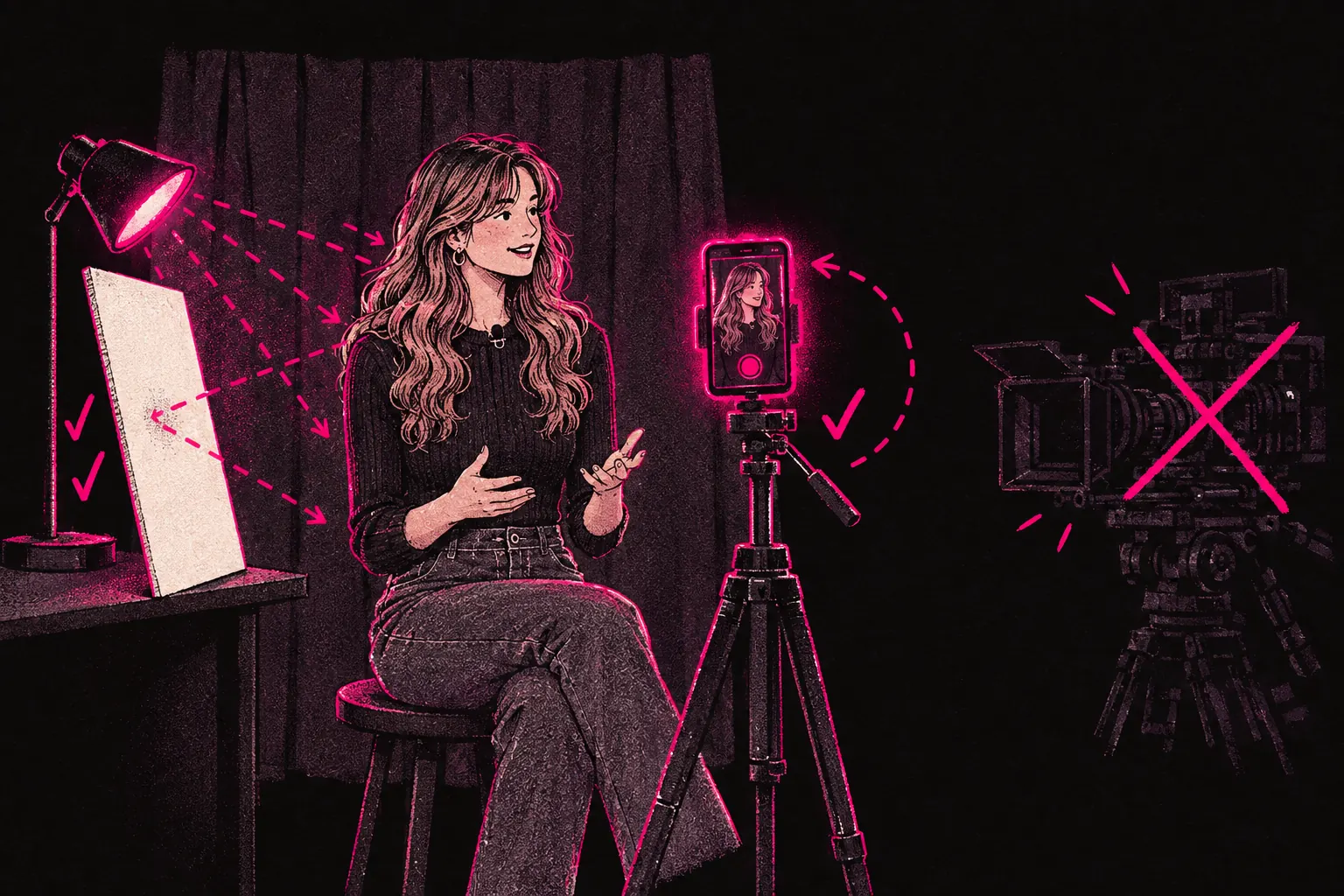
Video often earns more than photos on OnlyFans, and you don’t need expensive kit to make it. A clip shows fans your voice and the way you move, which a photo set can’t. If you aren’t filming yet, try a few videos and compare what they earn with your photos. If you are, you can almost certainly make them better without spending much.
Why video matters
Check your own statements and compare what your clips earn with what your photo sets earn. On a lot of pages, video tends to bring:
- More PPV sales than photo sets.
- More tips and more messages.
- Fans who stay on your page longer.
- Fans who stick around for more months.
Video shows things a photo can’t. Your voice, your little habits, the way you move. It’s the closest a fan gets to feeling they know you.
Equipment on a budget
You don’t need to spend thousands on gear. Plenty of creators start with what they already own and upgrade as the money comes in.
Phone vs camera
Your phone is all you need to start. Recent smartphones shoot 4K with good stabilisation, and the gap between a new phone and a mid-range camera is much smaller than it used to be.
If you want to upgrade later, compact cameras like the Sony ZV-1 or Canon M50 are popular with creators. But don’t wait for a camera before you start filming.
Tripod
If you film on your own, get a tripod. Phone tripods with bendy legs start at around ten pounds and let you set the phone at most heights and angles. For a camera, a standard tripod with adjustable height is worth paying a bit more for.
Steady footage looks far more professional than handheld video, even when nothing else changes.
Lighting
The lighting rules from photography apply to video too. The difference is that a viewer watches for minutes, not a second, so any change in the light stands out.
- A ring light is the easiest place to start. It gives even, flattering light from the front.
- Two LED panels set at 45-degree angles give a more cinematic look.
- Window light works well, but it moves through the day. In a video longer than ten minutes, you may see it change.
Audio
Bad sound makes a video feel amateur faster than anything else. People will forgive a slightly soft picture. Muffled or echoey sound, or a volume that keeps jumping, is what makes them click away.
- Lavalier microphones (clip-on mics) are the cheapest option. They plug straight into your phone and cost around ten to twenty pounds.
- USB microphones like the Blue Yeti or Rode NT-USB Mini suit a setup where you stay in one place.
- The room matters. Tiles, glass and bare walls bounce sound around. Curtains, rugs and soft furniture soak it up. Film in your softest room, or hang a blanket behind the camera to cut the echo.
Shooting tips
Good technique costs nothing, so sort it out before you spend money on new gear.
Framing and composition
The photography rules carry over. Use the rule of thirds, leave a little space above your head and don’t crop at awkward points like mid-forehead or the knees. Put the camera at eye level or slightly above. It’s the most flattering angle for most people.
Stability
No tripod? Tuck your elbows into your body, lean against a wall or rest the phone on something solid. Shaky footage is hard to watch.
Horizontal or vertical
Horizontal video suits longer clips and anything a fan might watch on a bigger screen. Vertical suits short clips, stories and anything made for a phone.
Think about where the clip will end up. Feed posts work either way. Teasers for social media should be vertical. Horizontal can suit PPV because it feels more like a film. Try both and see which sells better on your page.
Shoot in good light and record clean audio
Check your light and sound before you start. Film a ten-second test clip and watch it back with headphones on. Fixing a problem now can save you a lot of editing later.
Shoot more than you need
Let the camera run longer and cut it down afterwards. Trimming extra footage is easy. Reshooting because you stopped too early isn’t. The spare footage also gives you material for teasers and social clips.
Editing software
You don’t need to pay for editing software. These free options cover what most people need.
CapCut (free)
The best-known free editor for short and medium-length videos. It runs on phone and desktop and has a clean layout, effects, text overlays and music. You can learn the basics in an afternoon.
InShot (free with premium option)
A good mobile editor for trimming, changing speed, adding filters and putting text on screen. It’s a little simpler than CapCut and great for quick edits and social clips.
DaVinci Resolve (free)
A professional desktop editor that holds its own against paid software. It takes longer to learn, but if you want to make longer or more polished videos, the time pays off. Its colour grading, audio mixing and effects go well beyond what CapCut and InShot can do.
General editing tips
- Cut the dead air. Trim pauses and slow starts so the video keeps moving. Fans notice when you haven’t wasted their time.
- Add text for people watching on mute. Some fans start a video with the sound off, and on-screen text still gets your message across.
- Match the colour between clips. Fix the white balance and brightness so the finished video looks like one piece and not a patchwork.
- Export in good quality. 1080p is a sensible default for OnlyFans. 4K uploads work, but the files are much bigger.
Video length
There’s no single right length. These ranges are a reasonable starting point, and your own sales will tell you what your fans prefer:
- Feed posts: 30 seconds to 3 minutes. Quick to watch, long enough to feel worth it.
- PPV content: 5 to 15 minutes. Fans expect more when they’re paying extra.
- Social media teasers: 15 to 60 seconds. Enough to make people curious without giving the video away.
- Custom videos: whatever the request needs, often 3 to 10 minutes. Price them to match.
Types of video that sell
Some formats sell better than others. These are worth trying:
- Behind the scenes. Fans like seeing how your content gets made. It feels like something only subscribers get.
- Custom content. Personalised videos can be some of the best-paid work on a page, whatever your niche. Set clear limits and use the pricing calculator to price them.
- Tutorials and how-tos. Teach something from your niche, such as fitness, makeup, styling, art or cooking.
- Day-in-the-life vlogs. Relaxed videos that show your personality and help fans feel closer to you.
- Try-ons and reveals. Outfit try-ons, unboxings or before-and-after clips.
- Collaborative videos. Filming with another creator gives you variety and a chance to reach their fans. Everyone who appears has to be a tagged, verified OnlyFans creator, or an adult whose ID and signed release form you hold.
File formats and upload specs
OnlyFans takes most common video formats, and MP4 is the safest choice. Keep these in mind:
- Resolution: 1080p (1920x1080) is a good standard. 4K works, but uploads take longer.
- File size: OnlyFans caps the size of a single upload. Check the current limit in its help pages before you export a long 4K video.
- Duration: long videos upload fine within the size limit, but a very long one is hard for fans to get through. Think about splitting it into parts.
- Codec: H.264 is the most widely supported codec for MP4 files.
Pricing your video content
Price video above photos. It takes more work to make, and fans usually expect to pay more for it. Start with the pricing calculator, then think about these:
- Length. A longer video can carry a higher price.
- Exclusivity. PPV-only content should cost more than feed content that comes with the subscription.
- Custom or pre-made. Custom content costs more because you made it for one person.
- What your niche charges. Look at what similar creators ask. You don’t have to undercut them, but a price far outside the usual range can put fans off.
Put your prices on a tip menu so fans can see what’s on offer and what it costs. When fans don’t have to ask, buying is easier.
Building a video content system
Video is easiest to keep up when it’s part of your normal routine and not a big separate project. Film it on your batch days, plan it in your content calendar and leave your gear set up so you can start quickly.
For more on making your content look good, read our photo tips guide. A lot of it applies to video as well.
If you’d like help with content planning, scheduling and promotion, TalentGrow can run the business side of your page. The team works in your account through Infloww, a creator CRM, where it can see stats, make posts and send messages. It has no access to your bank details, payout information, email or social media accounts. The account stays in your name, payouts go to your bank, and you keep full control: you can end our access at any time by changing your password. It’s month to month with no lock-in and no exit fees, and 14 days’ notice to leave.
Interested? Apply here.